#Sample Prompts — apps to build on the Controlled Funding API
Three ready-to-paste briefs for an agentic development platform (Devin, Claude Code, Grok, Cursor). Each one produces a two-sided, end-to-end product: the sponsor's side and the recipient's side, both driving the real API, both designed to be shown to a customer.
How to use one: paste the whole prompt — from its ## Prompt N heading to
the horizontal rule that ends it — into the agent, then append this line:
Read docs/api/overview.md, docs/api/reference.md and docs/api/AGENT_BUILD_GUIDE.md
before writing any code. The build guide's rules are binding.
Every prompt inherits the same non-negotiables, restated inside each so it survives being pasted alone:
- the API decides; the client never recomputes policy, routing, caps or funding;
- money is integer minor units;
- a decline is a
201with a trace, not an error; - the recipient never sees a sponsor's balance, instrument or decision internals;
POST /policies/{id}/simulatepreviews Gate 1 with zero side effects;- no partial approval exists, and an instrument must hold 1.5× the amount.
#Prompt 1 — "Sprout": a parent-and-child allowance app

Build a two-sided mobile app called Sprout on the mCards Controlled Funding API. One codebase, two experiences: a parent who funds and sets the rules, and a kid who taps and learns. Both must be demoable end to end on a phone in under three minutes.
#The product idea
Money in Sprout is never "sent". The parent's account holds the funds until the exact moment the kid taps, and the kid sees the rules as a living thing they can poke at before they spend — a "will this work?" preview that answers honestly. The emotional target: a kid feels trusted and in control; a parent feels unworried without being a helicopter.
#Parent experience
- Set up an allowance in one guided flow — pick the kid, pick the funding account, drag a weekly cap, tap category chips ("Food & drink", "Books", "Transport"), set a per-purchase max, optionally set allowed hours.
- Home — a card per kid: this week's ring gauge (used vs remaining), the last few taps with merchant and status, and a big honest line: "You've actually paid $23.40 this week." Nothing was prefunded.
- Live tap notification — when the kid taps, the parent's screen animates the approval in: the ring depletes, the transaction slides in.
- Adjust — change rules (creates a new policy version, never an edit),
bump the cap,
suspend("Pause allowance") orrevoke("End allowance"). When pausing, show thein_flightfigure returned by the API honestly: "Paused. $16.67 already funded on 1 purchase can still settle."
#Kid experience
- "What I can spend" — the active policy version rendered as friendly, plain-language cards, read back from the API, not from the parent's form: "Food and drink only · Up to $20 a purchase · $38.00 left this week · Weekdays until 8pm." A countdown to the weekly reset.
- Try it first — a slider for the amount and a merchant picker (including
places that will not work). It calls
POST /policies/{id}/simulateon debounce and shows a live verdict chip: green "This would work", amber "Over your $20 limit", grey "Not a food place". Always passtransaction.cap_remainingor the simulation denies on missing cap data. Label it a preview: funding is only known at the real tap. - Tap — a full-screen card animation, then the outcome:
- approved → the card flips, a satisfying spring, remaining balance re-animates;
- Gate 1 decline → the specific rule card that blocked it physically shakes and highlights, with "No payment was attempted";
- Gate 2 decline → "Your sponsor's payment method couldn't cover this right now." Nothing about balances, amounts required, or which account.
- History with reasons — every tap, approved or not, with the rule that decided it. This is the teaching surface; make it the nicest screen.
#Design and motion bar
This must look like a product, not a demo. Ship: a coherent type scale and
palette (warm, not fintech-grey), 8pt spacing, dark mode, and real motion —
spring physics on the tap card (stiffness ~220, damping ~26), a ring gauge that
animates its arc when a cap changes, staggered list entrances (~40ms), skeleton
loaders rather than spinners, and haptics on the tap outcome. Honour
prefers-reduced-motion everywhere by swapping to fades. Every state must be
designed: empty, loading, offline, declined, paused, revoked.
#Technical contract
- Stack: React Native + Expo (or Next.js + Framer Motion if you build web
first). Typed client generated from
GET /api/openapi. - Setup sequence, in order, threading each response's ETag into the next
if-match: parties → linked payment source → card → commitment →invite/accept/activate→ budget cap → policy → policy version → activate policy → authorizations. - Fresh
idempotency-keyper user intent, reused verbatim on retry. On409 RESOURCE_VERSION_CONFLICT, refetch and retry once. - Rule chips compile to one
whentree ofand-ed predicates (mcc_in,amount_max,time_window,cap_remaining), each leaf with a stableid— that id is what the kid's UI maps to a human sentence. - Keep money as integer minor units in state; format only at render.
#Definition of done
A single seeded flow I can run: create the family, set the allowance, preview a $12 diner tap, tap it and see it approve, tap $80 and see the amount rule shake, tap at a games store and see the category rule shake, pause the allowance and see the next tap say nobody is funding this card, and read all four in history with the reason attached. Include a short README with the exact steps and a screen recording.
#Prompt 2 — "Crew": an employer spend-control console and employee wallet
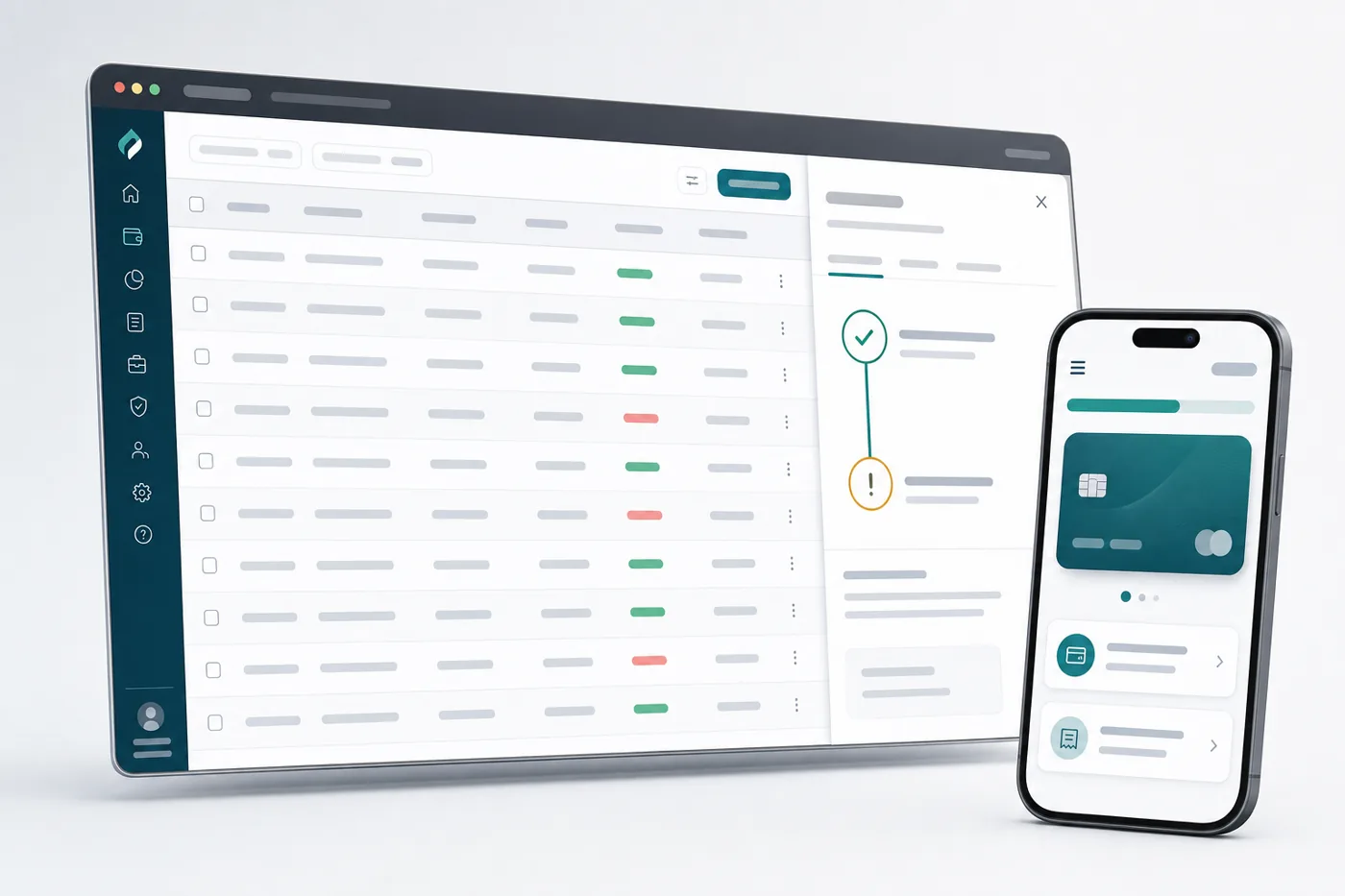
Build Crew, a two-surface product on the mCards Controlled Funding API: a web console where an employer funds and governs employee cards, and a mobile wallet where the employee spends within those rules. The point of Crew is that company money never leaves the company account until an employee makes a compliant purchase — no floats, no reimbursements, no expense reports.
#Employer console (web)
- Programs, not cards. An admin creates a program — "Field engineers: fuel and tools, $600/month, weekdays, US only" — and applies it to many employees. Each application is a commitment + cap + policy against that employee's card.
- Bulk onboarding — CSV or picker; show a live progress list as the sequence runs per employee, with per-row status and a retryable failure row (idempotency keys make retries safe; show that in the UI copy).
- Live activity — a filterable table of authorizations with decision,
merchant, amount and reason code, plus a policy-effectiveness panel: which
rules are declining the most, aggregated from
reason_codeand the failingrule_id. That insight is the console's reason to exist. - Rule editing as versions — a diff view between policy versions, an "activate" step, and a timeline showing which version judged which transaction.
- Controls —
set_prioritywhen several programs fund one card,suspendfor leave,revokefor offboarding, with the API'sin_flightexposure surfaced verbatim so finance knows what can still settle. - Per-sponsor privacy done properly — if the deployment allows it,
demonstrate sponsor-scoped reads with
x-sponsor-party-idand state plainly in the UI that in production the scope comes from a token, not a header.
#Employee wallet (mobile)
Calm and fast: what's left this month, what's covered in one line, a tap sheet, and receipts. On a decline it must say what to do next, not what went wrong internally — "Fuel is covered, but not on weekends" beats "POLICY_TIME_WINDOW". On a funding decline: "Company payment method issue — your manager has been notified", never a balance.
#Design and motion bar
Console: dense but composed — a real data grid with sticky headers, keyboard
navigation, column filters, animated number transitions on aggregates, and a
right-hand detail drawer that slides over the row with the two-gate trace drawn
as a flow (Gate 1 predicates as pass/fail pills, Gate 2 as the funding step),
each state cross-fading. Charts animate on mount only. Wallet: bottom-sheet
tap flow with spring physics, a success state worth screenshotting, shimmer
skeletons, offline queueing of the intent (never a blind retry without the
same idempotency key). Full keyboard accessibility, WCAG AA contrast, and
prefers-reduced-motion support in both.
#Technical contract
- Next.js App Router + TypeScript + TanStack Query for the console; React
Native for the wallet. Generate the client from
GET /api/openapi. - Never mirror API state into a local store you then trust — caps, remaining amounts and decisions always come from a response.
- Set
x-tenant-idon every call; log and displaycorrelation_idin the detail drawer so a support conversation can start from it. - Handle
429/5xxwith backoff and the same idempotency key; handle409 IDEMPOTENCY_CONFLICTas a genuine bug in your key derivation and say so in the error surface.
#Definition of done
Onboard five employees to one program in bulk, approve a compliant purchase, decline one on category and one on the monthly cap, edit the policy to allow the declined category and show the next purchase approving under version 2, revoke one employee and show their in-flight exposure, then open a sponsor-scoped view proving the employer sees only their own funding. Screen recording plus a one-page "how the two gates work" explainer generated from the traces.
#Prompt 3 — "Moments": a sponsored-funding mini-app for the mCards Features Marketplace

Build Moments, a feature that lives inside the mCards app (a Features Marketplace mini-app, not a standalone product), on the Controlled Funding API. A Moment is a time-boxed, purpose-shaped pot of someone else's money: Grandma funds "Back-to-school shoes, $120, shoe stores, this week"; a coach funds "Team dinner, $40 a player, tonight"; a friend funds "Get home safe, $30, rideshare, after 10pm". The card is the kid's or the player's — the money stays with the sponsor until the tap.
#Why this is a marketplace feature, not an app
It attaches to a card the user already has, it is discovered as a card in the mCards feature sheet, and it must feel native to the host app: adopt the host's type, colour and navigation, mount inside a sheet, and never demand a separate login.
#Sponsor flow (can be anyone, not just a parent)
- Pick a template — "School shoes", "Team dinner", "Ride home", "First
week at uni" — each template is a prefilled policy tree (categories, per-tap
max, hours, country) the sponsor can tweak with chips, plus a cap and an
expiry mapped to
expires_at. - Send it as an invitation — a shareable link/QR that opens the Moment in
the recipient's mCards app; acceptance runs the commitment
invite→accept→activatelifecycle. Show the handshake as an animated two-avatar sequence; this is the emotional core of the product. - Watch it get used — a live "Moment card" with a filling progress bar, the merchant name as each tap lands, and a note field ("Have fun, kiddo").
- Stacking — several sponsors can back the same Moment. Show them as a
ranked stack (
priority) and, when a tap splits across them, animate the split — this is the API's most distinctive capability, so make it the hero animation. Each sponsor sees only their own contribution (sponsor-scoped reads); never reveal one sponsor's amount to another.
#Recipient flow
A Moment appears as a beautifully designed card in the wallet with its purpose,
what it covers, what's left and when it expires. Tap-to-use opens a sheet with
the merchant, the amount and a live preview from POST /policies/{id}/simulate.
On approval: confetti-grade delight, then a one-tap "say thanks" back to the
sponsor. On decline: a calm, specific sentence and the option to preview a
smaller amount — never a balance, never which account, never another sponsor's
existence. Expired or fully used Moments animate into a keepsake archive.
#Design and motion bar
Treat this as a design-led feature: a distinct card material (gradient/glass) per
template, physics-based sheet dismissal, a progress bar that eases with a slight
overshoot, the multi-sponsor split rendered as an animated stacked bar with the
contributing avatars flying into place, shared-element transitions from wallet
card → detail, and micro-interactions on every state change. Sub-100ms perceived
response: optimistic UI for navigation, never for money. Ship dark mode,
prefers-reduced-motion, dynamic type, VoiceOver labels for every state, and a
designed empty state that sells the feature ("Nothing here yet — ask someone to
back a Moment").
#Technical contract
- A Moment is: a commitment (with
expires_atandpriority) + a budget cap (period: "none",lifetime-style) + a policy whose active version encodes the template's rules. Persist the template name inmetadata. - Stacked Moments = several commitments on the same card. Read the split from
decision_detail.gate_2.allocationson the authorization — but render attribution to a recipient only in aggregate, never naming other sponsors' amounts if your product decision is to keep them private. - "Cancel this Moment" is
revoke; show the returnedin_flighthonestly rather than implying a clawback. - Idempotency keys on every mutation; ETags threaded through the lifecycle; integer minor units end to end.
- Personal funds (
set_personal_funding) may be offered as an explicit opt-in "top up the rest myself" — it is consent-based and always used last, after every sponsor. Never enable it silently.
#Definition of done
Sponsor creates a "School shoes" Moment from a template, shares it, the recipient accepts in-app, a second sponsor stacks on top, a tap splits across both with the split animation, an out-of-category tap declines with the rule named, the first sponsor cancels and sees their in-flight exposure, and each sponsor's view shows only their own money. Deliver as a mountable feature module with a host-app harness, a design rationale page, and a recording of the full loop.
#Notes for whoever runs these
- Point the agent at a development tenant. The demo/simulator switches
(
ENABLE_SIMULATOR,ALLOW_HEADER_SPONSOR_SCOPE) must never be enabled against real financial data. - Instrument activation and balance have no public endpoint yet, so seeded sponsor funds come from a gated simulator-only path — tell the agent to treat active instruments as given rather than inventing an API for them.
- The strongest single instruction you can add to any of these is: "show the literal API request and response behind every screen in a developer drawer". It keeps the agent honest and makes the result far more persuasive in a demo.